
Table of Contents
ToggleEvery iPhone user knows the sinking feeling when the charging port decides to play hard to get. Dust, lint, and the occasional rogue crumb can turn a simple charging session into a frustrating game of “Will it or won’t it?” Cleaning out that tiny portal might seem daunting, but fear not! With just a few simple steps, you can restore your iPhone’s charging prowess and keep those battery woes at bay.
Importance Of Cleaning The Charging Port
Cleaning the charging port of an iPhone prevents performance issues. Dust, lint, and debris accumulate over time, obstructing the connection. This obstruction can lead to inconsistent charging or even complete charging failure.
Regular maintenance of the charging port ensures optimal battery performance. Users often notice improved device responsiveness after a thorough clean. Removing foreign particles enhances the longevity of the charging port and reduces the risk of damage to the internal components.
Addressing cleanliness also prevents further issues related to connectivity. A clean port facilitates efficient data transfer, which is crucial for syncing and updates. Inconsistent connections can disrupt user experience, causing frustration during essential tasks.
Visual inspection before cleaning can identify blockages. Users should ensure the port is free from visible debris. This proactive approach can lead to fewer charging problems over the life of the device.
Cleaning devices like soft brushes or compressed air can safely remove debris. Some users prefer using a toothpick, while others find a microfiber cloth effective. Always exercise caution to avoid damaging the internal pins in the port.
Failing to maintain the cleaning routine can lead to costly repairs down the line. Ignoring the buildup might cause inconvenience, especially during travel or emergencies. Keeping the charging port clean ultimately supports better device functionality and user satisfaction.
Tools Required For Cleaning
Cleaning the charging port of an iPhone requires specific tools to ensure safety and effectiveness. Proper tools facilitate efficient access and minimize the risk of damage.
Recommended Tools
- Soft-bristle brush: Use a soft-bristle brush to dislodge lint and debris. Gently brushing avoids scratching internal components.
- Compressed air canister: Compressed air blasts away dirt from the port. Short bursts help prevent moisture accumulation.
- Toothpick: A wooden toothpick allows for careful scraping of stubborn debris. Exercise caution to avoid damaging the port’s pins.
- Flashlight: A flashlight provides visibility in low-light situations. Proper lighting assists in identifying blockages.
Safety Precautions
- Power off the device: Ensure the iPhone is turned off before cleaning. This action minimizes the risk of electrical damage.
- Avoid metal tools: Steer clear of metal objects that can scratch or short-circuit the port. Wood or plastic tools are safer alternatives.
- Keep a gentle touch: Apply light pressure while cleaning to avoid damaging internal components. Careful handling preserves the integrity of the port.
- Inspect regularly: Conduct regular inspections of the charging port. Early detection of debris can prevent future problems.
Step-By-Step Cleaning Process
Follow these steps to effectively clean the charging port on an iPhone. Proper cleaning ensures smooth charging and enhances device performance.
Powering Off The iPhone
Turn off the iPhone before starting the cleaning process. This action prevents accidental interactions during cleaning. Holding the side button alongside the volume button facilitates the power-off process. Ensuring the device is completely off improves safety while cleaning out the charging port.
Inspecting The Charging Port
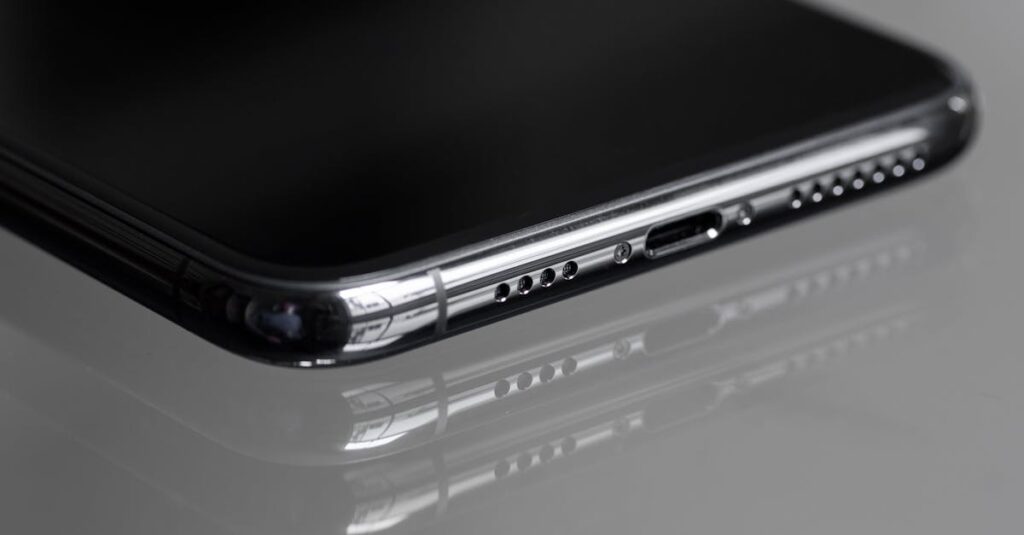
Examine the charging port for visible debris. Use a flashlight to illuminate the area for a better view. Identifying lint, dust, or other materials blocking the port allows for targeted cleaning. If significant buildup appears, taking care of it sooner rather than later can prevent charging issues down the road. Regular inspections contribute to a longer lifespan for the device.
Cleaning Techniques
Utilize appropriate tools for cleaning the charging port. A soft-bristle brush works well for loosening debris without causing damage. Compressed air can help blow out any stubborn particles lodged inside. A toothpick serves as a precise tool for gently scraping out excess buildup. Maintaining a gentle touch during this process is crucial to avoid harming the internal components.
Final Checks
Examine the charging port again after cleaning to ensure no debris remains. A flashlight can help spot any missed lint or dust. Check for any signs of damage, such as bent pins, which could cause charging issues.
Test the charging function with a compatible charger. A successful connection signifies the cleaning process was effective. Use different chargers if necessary to determine if the problem persists.
Look for any unusual behavior from the device while charging. Issues such as overheating or intermittent charging signal a deeper problem that might require professional assessment.
Reconnect the iPhone to the original charger and observe how it responds. Make sure it connects securely and charges without interruption.
Maintain regular cleaning and inspections to prevent future blockages. Consistent upkeep can enhance the iPhone’s longevity and performance.
Stay aware that neglecting this step can lead to costly repairs down the line. Regular checks can save time and ensure a seamlessly functioning device.
Additional Tips For Maintaining The Charging Port
Regular maintenance of the iPhone’s charging port helps prevent dust accumulation. Cleaning the area around the port weekly ensures that debris doesn’t build up. Always power off the device before cleaning to avoid potential damage.
Using a case can protect the port from dust and lint. Silicone or rubber cases create a barrier that reduces exposure to dirt. Opting for a case with port covers further enhances protection against unwanted particles.
Consider storing the phone in a clean, dry place. Avoid bags or pockets that attract lint and debris. Maintaining a tidy environment helps keep the charging port clean.
Inspecting the charging cable regularly is essential. Look for frays or excessive wear that might contribute to port blockage. Replacing damaged cables prevents further complications with charging.
Using the phone mindfully aids in maintaining the charging port. When placing the phone on surfaces, avoid laying it down on sand or dirt. Minimizing exposure to these materials aids in keeping the port clear.
Keep an eye on how the phone charges. If charging becomes inconsistent, inspect the port immediately. Addressing issues quickly can prevent expensive repairs down the line.
Seeking professional help may be necessary if persistent charging issues arise. Technicians can safely clean internal components and address deeper damage. Regular maintenance, along with professional check-ups, significantly enhances the iPhone’s longevity.
Cleaning the charging port on an iPhone is a straightforward task that can significantly enhance device performance. By incorporating regular maintenance into their routine, users can prevent common issues like inconsistent charging and data transfer failures.
Employing the right tools and techniques ensures the charging port remains free of debris while protecting its internal components. Staying proactive with inspections and cleanings not only extends the lifespan of the device but also improves overall user satisfaction.
Taking these simple steps can save users from potential frustrations and costly repairs down the line. Keeping the charging port clean is essential for maintaining the iPhone’s functionality and reliability.